
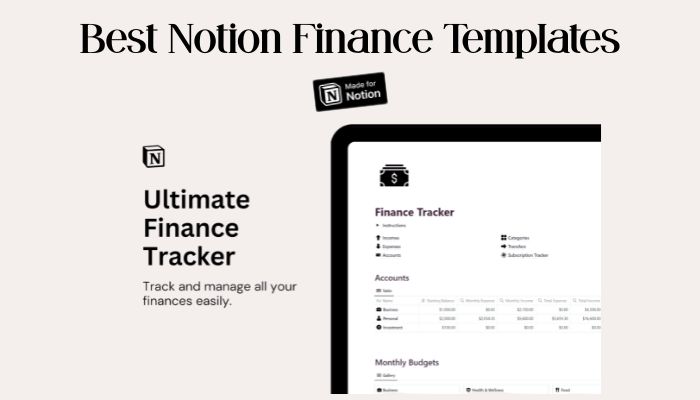
10 Best Notion Finance Templates Every Budget-Lover Needs to Try
If you want to keep track of your money, Notion can make it so much easier. With the right finance templates, you can follow your budget, check your expenses, and chase your savings goals—all in one spot.
These templates help you get organized and really see where your money goes. Whether you’re saving up for something big or just want to spend smarter, there’s a Notion finance template out there for you.
Notion x Finance
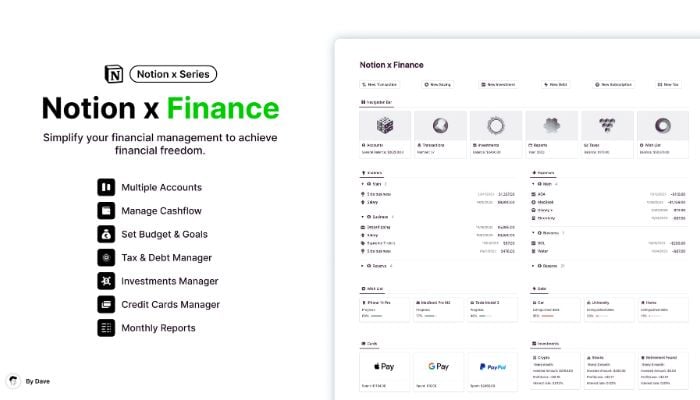
If you want a simple way to keep an eye on your money, Notion x Finance is a solid pick. You can add new transactions fast, track all your bank accounts, and even follow your investments in one place.
Just type in what you spend or earn, pick how you paid, and the balance updates for you. Everything’s grouped so you can instantly see where your money goes.
You also get tools to manage debts, savings, and subscriptions so nothing slips through the cracks. This template keeps things clear and flexible and lets you tweak it to fit your goals.
What’s Inside
- Bank accounts tracker
- Transaction log with categories
- Savings and budget sections
- Debt and tax tracking
- Investment log
- Reports by month and year
- Subscription manager
- Dashboard for all your money details
Get this template:
Notion Finance Tracker
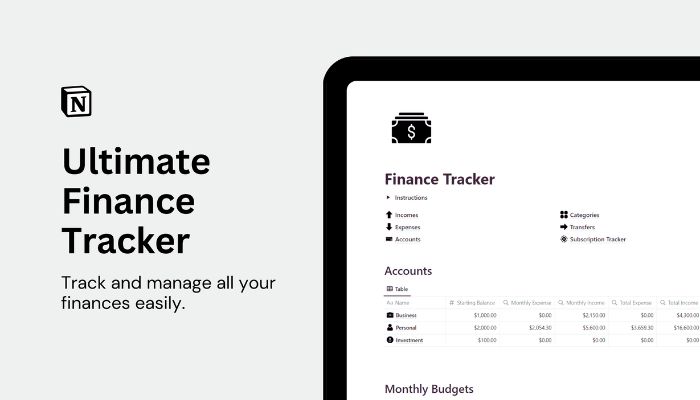
Managing your money can get messy sometimes. That’s why the Notion Finance Tracker makes it simple to see all your balances in one dashboard.
You don’t need to jump between apps or tools. You can create budgets for each expense category and set savings goals that match your plans.
Want to transfer money between accounts? Just a few clicks do the trick. Tracking subscriptions, expenses, and income is easy here.
Your finances stay organized, and you can find monthly or yearly reports to spot trends and track progress.
What’s Inside
- Account balance overview
- Budgets for each category
- Expense and income tracking
- Fund transfer between accounts
- Subscription reminders
- Goal setting
- Monthly and yearly reports
The Ultimate Notion Finance Bundle
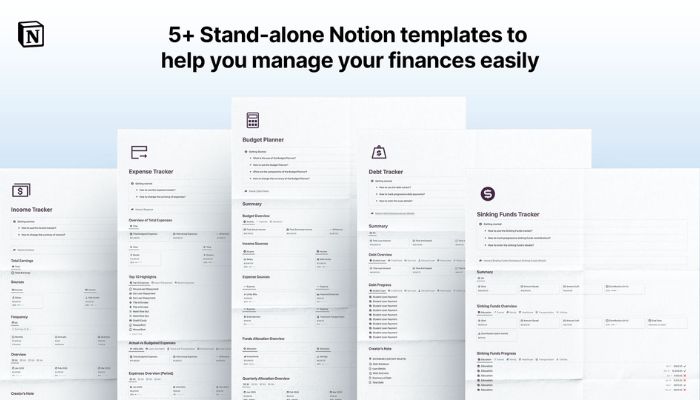
If you want everything in one spot, the Ultimate Notion Finance Bundle is for you. It gives you seven templates to keep track of spending, bills, budgets, debt, and even your net worth.
Everything’s easy to use, even if you’re new to money management. The bundle works right away inside your Notion workspace, and you don’t need a paid plan.
What’s Inside
- Expense Tracker
- Income Tracker
- Budget Tracker
- Debt Tracker
- Sinking Funds Tracker
- Bills Tracker
- Net Worth Tracker
Financial Buddy for Notion
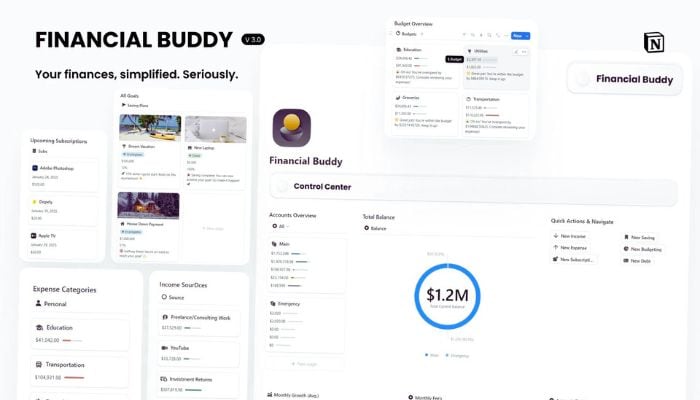
Managing money can feel overwhelming, but Financial Buddy is designed to make it simple. You get all your accounts, investments, debts, and budgets sitting together in one place.
Clear dashboards let you spot your savings progress and track your spending patterns fast. With this template, you can finally see exactly where your cash is going and make smarter choices every day.
If you’re tired of app-hopping, you’ll love having Financial Buddy for Notion as your main hub. Set real savings goals, watch for leaks, and organize your finances without any stress.
What’s Inside
- Income and expense trackers
- Budget planner
- Subscription tracking
- Savings goal progress
- Net worth dashboard
- Custom categories
- Debt management
- Investment overview
Minimalist Finance Tracker
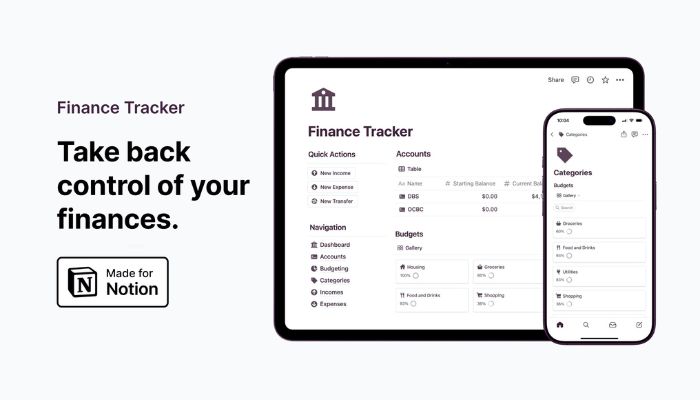
If you want something simple but effective, the Minimalist Finance Tracker is a great pick. You can track your spending, savings, and even monitor your subscriptions without any clutter.
It’s easy to customize your dashboard and choose how you want to see your data. Try switching between board view, table view, or gallery view—whatever feels right.
You don’t need to pay for any extra tools—everything runs inside Notion. You can view detailed account balances, set budgets, and keep an eye on your goals all in one spot.
What’s Inside
- Income and expense tracking
- Monthly and yearly reports
- Customizable budget settings
- Subscription management
- Simple layout with multiple views
- Goal tracking
- Balance overview
- Easy data sorting and filtering
Get the Minimalist Finance Tracker
Notion Money Jars System v2.0
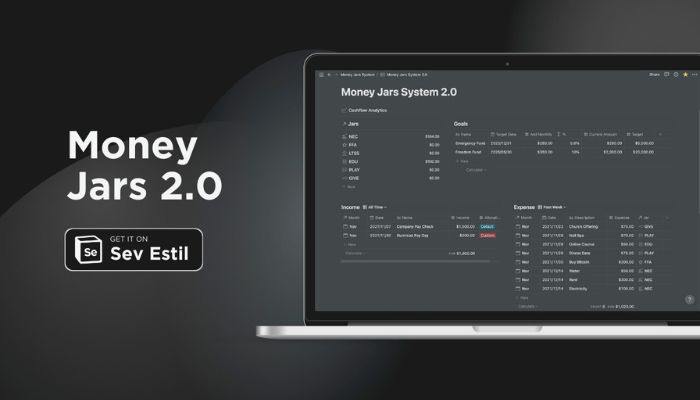
If you want a simple way to manage your cash, the Notion Money Jars System v2.0 helps you organize your money into six clear categories, or “jars.” This template makes it easy to see where all your money is going.
You can track your income and spending by tagging each amount to a jar. One special feature is the PLAY jar, which lets you spend guilt-free and enjoy your life right now.
You get several versions, so you can pick the one that fits your needs best. Try this if you want a stress-free and visual way to see your savings and expenses.
Notion Money Jars System v2.0 works even if you only have a free Notion account. It’s a fresh way to build a healthy money habit.
What’s Inside
- Jar balance overviews
- Automatic allocation to 6 jars
- Track recurring bills
- Monthly views of income and expenses
- Easy summaries for each jar
- Multiple versions included (Lite, original, v2.0, couples)
- Works with Notion Free plan
Savings Milestone Dashboard
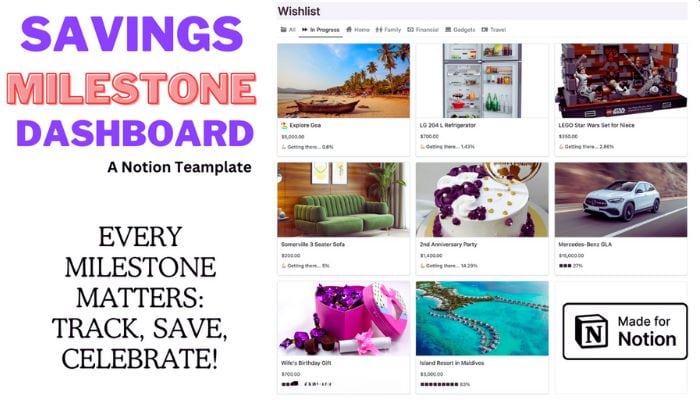
Tracking your savings goals can feel overwhelming, but this dashboard makes it simple and even a little fun! You can set clear milestones and watch your progress with easy-to-read charts.
Use this template to break bigger goals into smaller steps. Every time you add money, see your achievements stack up.
It’s like having a progress bar just for your savings.
What’s Inside
- Simple progress bars
- Editable goal milestones
- Automatic updates when you log savings
- Space for notes and motivation
Get the Savings Milestone Dashboard!
Financial Independence Retire Early Finance Tracker & Planner

If you want to reach financial independence and retire early, the F.I.R.E. OS template has your back. It’s easy to use and helps you see where your money is going, set smart goals, and track your progress every step of the way.
You can log all your income, expenses, and savings in one place. Keep an eye on your budget, investments, and debts.
Everything lives in a clear Notion dashboard, so it’s simple to stay organized and motivated.
What’s Inside
- FIRE number calculator
- Live tracking for investments
- Income, expenses, and savings databases
- Debt payoff tracker
- Monthly budget and cash flow tools
- Financial goals planning
- 40+ resources about FIRE
- Simple setup guides
Finance Compass 2.0
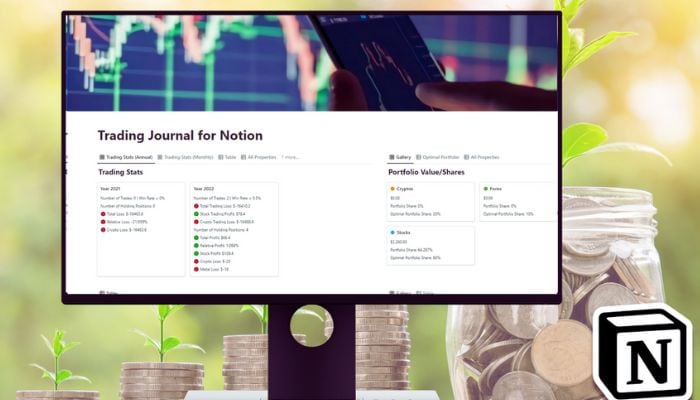
If you want a powerful way to track all your investments in Notion, Finance Compass 2.0 is for you. This template lets you monitor not just stocks, but also crypto, currencies, and metals—all in a single dashboard.
You can add as many accounts as you like and see your trading history anytime. The built-in portfolio and trading journal make it easy to stay organized.
It’s especially helpful if you juggle different asset classes. Even day traders can manage their trades and review performance over any time frame.
What’s Inside
- Dashboard for 4 assets: stocks, crypto, currencies, metals
- Unlimited accounts tracking
- Portfolio and trading journal
- Custom views by year, month, week, or day
- Rebalance tool for your portfolio
- Easy setup for Notion users
- 30-day guarantee
- Ongoing updates
Notion Cryptofolio

If you want to keep an eye on your crypto assets, Notion Cryptofolio is a great choice. You can set up your own portfolio to track coins, with real-time prices straight from CoinMarketCap, thanks to built-in automation.
It’s easy to see your full history of buy and sell trades, with every action stored in a clear table. Real-time widgets let you check stats fast, and even dark mode is included.
Getting up-to-date prices does require a Make account, but step-by-step videos are provided. If you need help, there’s an option to book a setup call.
Learn more about this tool on the Notion Cryptofolio page.
What’s Inside
- Track all crypto investments
- Real-time price updates
- Buy/sell transaction logging
- Full trade history
- Custom data widgets
- Real-time currency converter
- Dark mode option
- Bonus Notion extension
Get the Notion Cryptofolio Template!
Why Use Notion for Managing Your Finances?
You want a money system that’s simple, truly yours, and puts everything in one place. Notion lets you do just that, without sticking you in a boring, one-size-fits-all box.
Flexibility and Customization Benefits
With Notion, you can design your finance pages exactly how you like. Want an expenses database with just a few fields? Or a detailed spreadsheet with color-coded tags and charts?
You decide. You can start with a free template or make your own from scratch.
Rearrange columns, rename fields, and add icons or emojis to match your style. If you want to track how much you spend at your favorite coffee shop or save up for a new bike, you can set unique categories or even attach notes and receipts.
Notion gives you tools like checkboxes, drop-down lists, and filters so you can see only what matters to you. The workspace grows and changes as your needs do—no more outgrowing your old budget tool.
You can even share your pages with a partner or friend for joint budgets. Add reminders, set up progress bars for savings goals, or link your finance trackers to other Notion pages—like your shopping list or wish list.
Integrating Budgets, Goals, and Tracking in One Place
Notion really shines when you start putting all your money stuff together. It’s more than just a list of numbers.
Picture this: your budgets, income, bills, and financial goals all sit on a single dashboard. You can set up automatic calculations with Notion’s formulas, so you’re not stuck adding things up with a calculator on the side.
Track weekly spending, update your savings goals, and spot which categories eat up most of your cash—all on the same page. This way, you won’t have to jump between apps or lose track of your progress.
New month, new budget? Just duplicate last month’s template with one click, then update it as needed.
With templates, you can add or remove parts anytime. If you get a new source of income, just add a new field and keep moving.
Want a quick visual check-in? Toss in some simple progress bars or graphs to see how close you are to a goal.
It’s easy to stay on top of your money. You can personalize everything to fit how you actually think about spending and saving.
Tips for Getting the Most Out of Notion Finance Templates
If you want to see real benefits with Notion and your finances, tailor templates to match how you manage money. Building habits and making small tweaks can really add up over time.
Personalizing Templates for Your Financial Goals
Start by picking a template that matches your style. Think about which categories matter most—maybe savings, investments, or monthly bills.
Change default category names to fit your real spending. For example, call “Leisure” something like “Streaming Services” if that’s where your fun money goes.
Use icons, colors, or even emojis for each category. It makes things pop out at a glance.
Add custom properties, like tags for recurring payments or a “goal” column for saving up. If you use another currency or want specific reminders, update the formula fields and notifications—Notion lets you tweak these templates however you want.
Making Finance Tracking a Habit in Notion
Set aside a few minutes each week to update your finance pages.
If you like reminders, turn on Notion’s daily or weekly notifications. That way, you’ll actually remember to check in.
Pin your Notion dashboard or make a shortcut on your laptop or phone. It’s just easier when it’s right there.
Break bigger finance goals into steps or checklists in Notion.
You can toss in a “Quick Add” section for fast expense logging—honestly, anything that makes tracking less annoying is a win.
Pro tip: If you share expenses, invite your partner or roommate. Notion’s collaboration tools make it way easier to stay on the same page and avoid missed payments!