10 Best Notion Wedding Planner Templates to Plan Your Dream Day Like a Pro
Planning your wedding can feel like juggling a million things at once. Between guest lists, vendors, budgets, and all those tiny details, it’s quite overwhelming.
Notion wedding planner templates give you one spot to organize everything—from early planning to the big day. That alone makes things way simpler and less stressful.
Maybe you’ve heard about Notion for organizing projects, but wedding planning templates take it up a notch. These digital planners offer features like budget trackers, guest management, vendor lists, and timeline builders.
Whether you want a simple dashboard or a full-on wedding command center, there’s something out there for your style and needs.
You can customize these templates to fit exactly how you want to plan. Track RSVPs, build seating charts, and actually enjoy the process instead of drowning in spreadsheets and sticky notes.
Ultimate Notion Wedding Planner
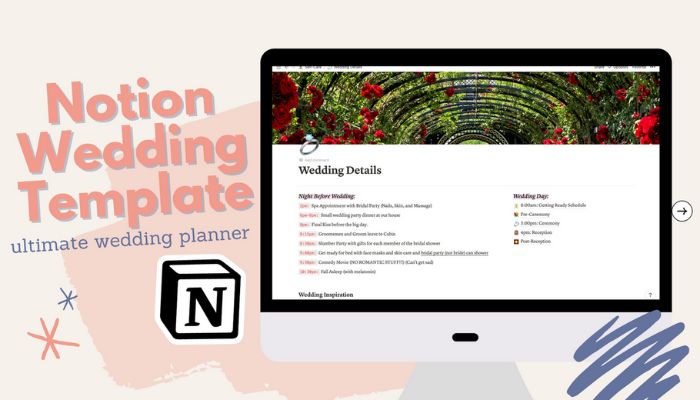
This template stands out as a complete wedding planning solution. You get everything you need for your big day in one digital space.
It includes detailed scheduling pages. Plan every minute from start to finish.
What’s Inside:
- Night before the wedding planner
- Minute-by-minute wedding day schedule
- Inspiration gallery for Pinterest ideas
- Wedding countdown to-do list
- Budget tracker
- Wedding vows section
- Guest list tracker
- Wedding party organizer
- Things to buy checklist
- Vendors and caterers database
- Reception dinner planning
- Wedding playlist
- Wedding rules
- Calendar for appointments
Add collaborators like your maid of honor or planner so they can see your plans and help make your vision real. The template works on all devices, so you can update your budget while shopping or check your list anywhere.
Curious? Check out this Wedding Planner Template and start planning your perfect day.
Notion Wedding Planner Template

Planning your big day can feel a bit much. This comprehensive template keeps everything in one place so you can breathe easier.
The template updates automatically to show what needs attention next. You won’t miss deadlines or forget to follow up with vendors.
What’s Inside
• Guest list management with RSVP tracking
• Budget tracker for expenses
• Thank you card organizer for gifts
• Venue comparison tool
• Drag-and-drop seating chart creator
• Pre-filled to-do list with essential tasks
Want to simplify things? Get the Notion Wedding Planner Template and start organizing your perfect day today!
Wedding Planner Notion Template
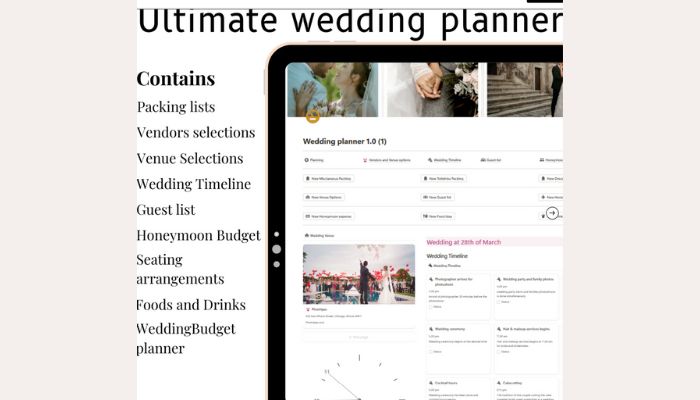
This template makes wedding planning simple and organized. You get everything you need in one digital workspace.
The design helps keep couples stress-free. Every detail has its place, from vendor meetings to honeymoon plans.
What’s Inside
• Budget tracker
• Guest list management
• Vendor contacts
• Timeline and schedule planner
• Venue comparison
• Seating charts
• Food and drink lists
• Honeymoon budget tracker
• Quick action buttons
• Customizable sections
Want to make planning easier? Get the Wedding Planner Notion Template and start organizing your dream day.
The Ultimate Notion Wedding Dashboard
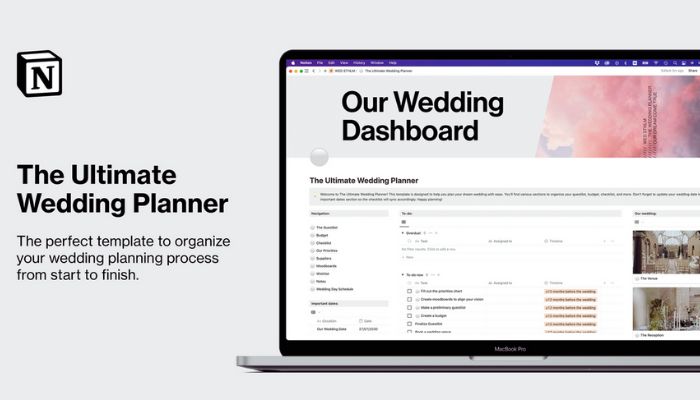
This template turns wedding planning into something fun and manageable. You get everything you need in one place to stay organized.
The guest list section tracks RSVPs and meal choices. You can plan seating and see who each partner invited.
The budget tracker keeps your spending in check. See when payments are due and avoid those nasty surprises.
What’s Inside
• Guest list with RSVP and meal tracking
• Budget tracker with payment schedule
• Wedding checklist with priorities
• Vendor contacts
• Mood boards
• Wishlist
• Notes section
• Easy navigation
Want to make planning less stressful? Get The Ultimate Notion Wedding Planner and start organizing your big day.
Wedding Planner by Hey Brevis
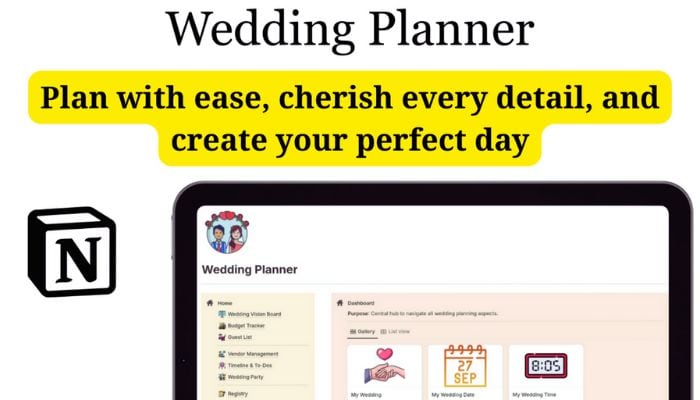
Hey Brevis created a solid wedding planning template that covers all the basics.
This template acts as your main planning hub. Track your budget, manage your guest list, and keep tabs on vendors in one spot.
There’s a vision board for ideas and a timeline feature to help you hit key deadlines. The Wedding Planner template also handles wedding party details, venue info, seating charts, and day-of logistics.
What’s Inside:
- Wedding Vision Board
- Budget Tracker
- Guest List Management
- Vendor Tracking
- Timeline & To-Do Lists
- Wedding Party Organization
- Venue & Location Details
- Wedding Day Logistics
- Post-Wedding Planning
Ready to get organized? Check out the Wedding Planner template and start planning your perfect day.
Magical Notion Wedding Planner
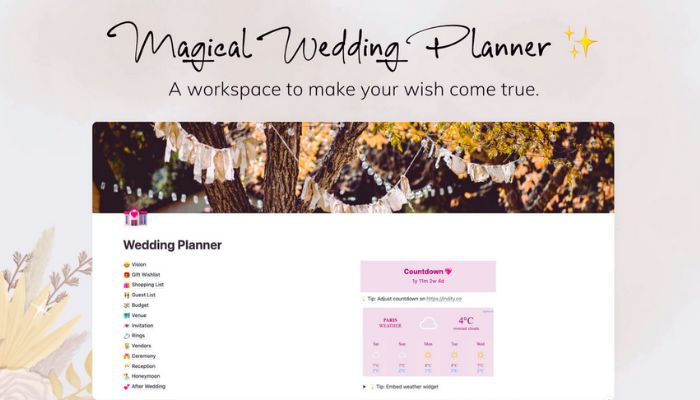
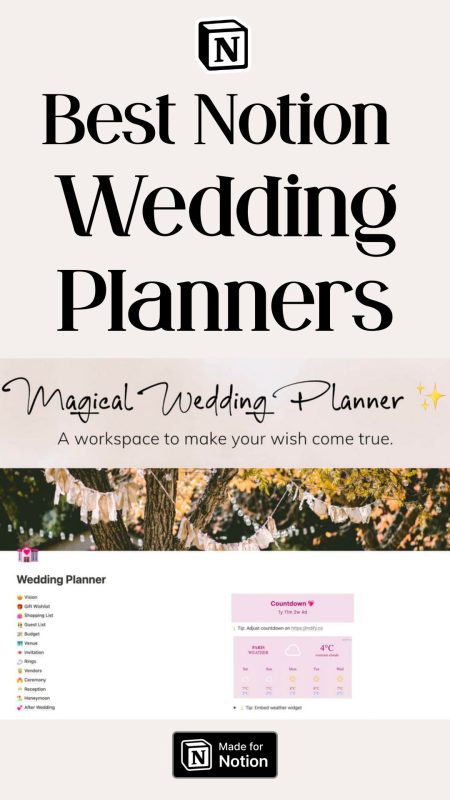
The Magical Notion Wedding Planner helps you stay organized for one of life’s biggest events. This template brings all your wedding tasks into one workspace.
Track your guest list and manage your budget in one spot. The template includes pre-made checklists to guide you step by step.
Kanban boards let you move tasks from “to do” to “done.” Create seating charts and track vendors with built-in tools.
This template actually makes planning kind of fun. Add mood boards, embed videos, and keep your wedding playlist right next to your tasks.
What’s Inside:
- Guest list management
- Budget tracking
- Vendor contacts
- Pre-made checklists
- Kanban boards
- Seating chart creator
- Mood boards
- Video and music embedding
- Wedding timeline planner
Want to make wedding planning easier? Get the Magical Notion Wedding Planner and start organizing your perfect day.
Notion Wedding Planner by Wonders in a Click
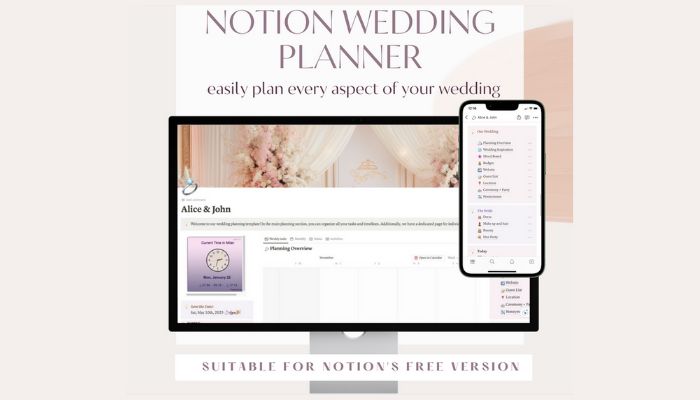
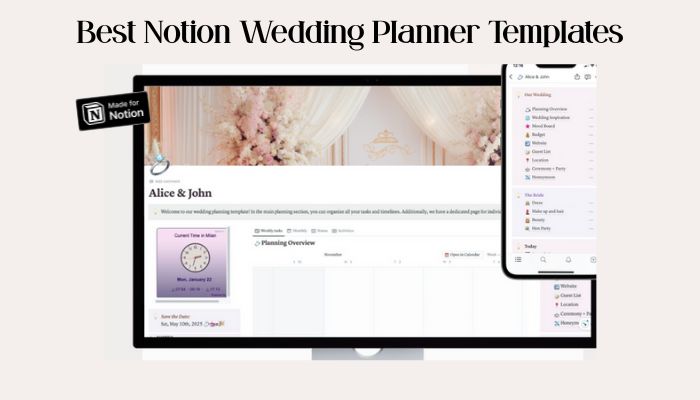
This Notion Wedding Planner Template brings a beautiful lilac design to your planning process. It helps you organize every detail of your big day in one spot.
You get 12 sections to cover all aspects of your wedding. The layout is clean and easy to navigate, so you can find what you need fast.
There’s original artwork made just for this planner. An automatic date and time widget keeps you on track.
What’s Inside:
• Planning overview dashboard
• Wedding inspiration board
• Mood board for design
• Budget tracker
• Guest list manager
• Location and venue planning
• Ceremony and party details
• Honeymoon planner
• Dress tracker
• Beauty and makeup planning
• Bachelorette party organizer
Ready to start planning? Get this template and organize your special day with style.
Ultimate Notion Wedding Planner by Orange Days
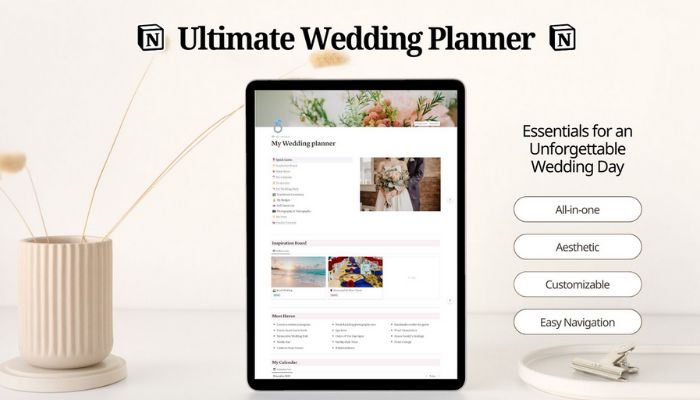
The Ultimate Notion Wedding Planner turns chaos into an organized system. This template gives you what you need to plan your dream day without stress.
Create multiple vision boards for your wedding theme. Design the perfect color palette, almost like having a digital mood board for all your ideas.
The checklist tracks every task from engagement to honeymoon. You’ll remember deadlines and appointments, and the system shows you what’s next.
This Ultimate Notion Wedding Planner handles vendor coordination and guest management. Store contact info, track RSVPs, and arrange seating easily.
What’s Inside:
- Inspiration boards for themes and colors
- Complete checklist with timeline
- Vendor contact management
- Guest list and RSVP tracking
- Seating planner
- Photography shot list templates
- Ceremony planning tools
- Vow writing workspace
- Budget tracker
Want to plan your perfect wedding? Get the complete template and start organizing your special day.
Notion Wedding Planner by Maga Studio
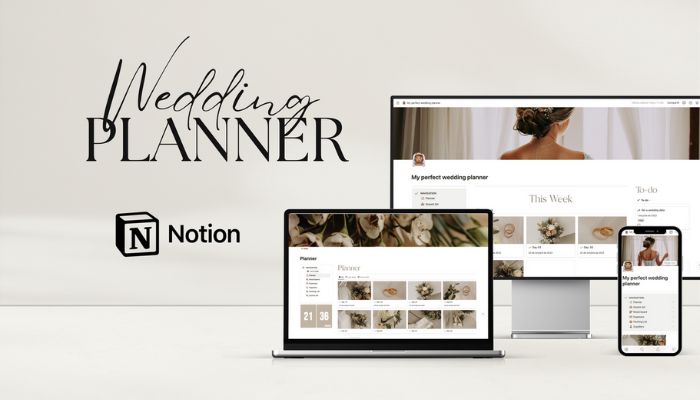
This template helps you plan your wedding in a single digital space. You can track your budget, manage vendors, and organize guest lists all in one spot.
There’s a vision board for ideas and inspiration. Track all your expenses to stay within budget—no more guessing.
What’s Inside
• Wedding planner dashboard
• Vision board
• Expense tracker
• Suppliers tracker
• Guest list management
• Packing list for the day
Ready to start planning? Get the Notion Wedding Planner template today.
Wedding Planner Notion Dashboard
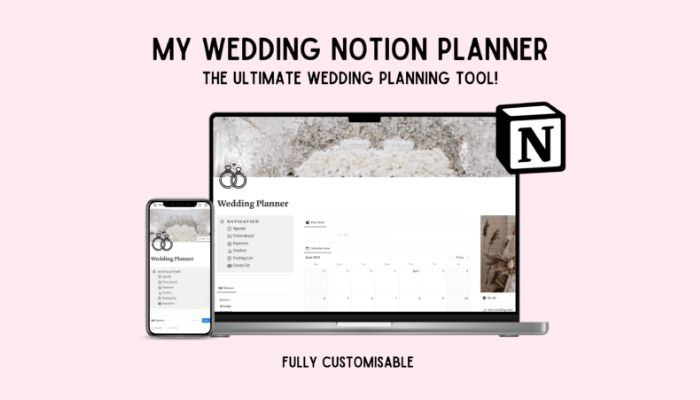
A wedding planner dashboard turns your Notion workspace into a complete wedding command center. This template keeps everything organized in one spot.
The dashboard gives you a quick look at your wedding progress. You can see upcoming tasks, your budget, and vendor deadlines all from one main page.
Most wedding dashboards show a monthly calendar with important dates. You can track venue visits, dress fittings, and vendor meetings without bouncing between apps.
The sidebar navigation makes it easy to jump between sections. You can go from your guest list to your wedding planner dashboard vendor contacts in a click.
What’s Inside:
- Monthly calendar with wedding events
- Budget tracker for expenses
- Vendor contact manager
- Guest list organizer
- Task checklist with deadlines
- Vision board for inspiration
Ready to organize your dream wedding? Grab this dashboard template and start planning your perfect day!
How to Personalize Your Notion Wedding Hub
Your Notion wedding planner should feel like you—not just another template. The best thing about Notion is making it match your style and work for your crew.
Incorporating Your Theme and Colors
Start by changing your Notion pages to match your wedding colors. Click any page title and pick a custom cover photo.
Upload engagement photos or pictures that fit your vibe. Use emojis throughout your database for extra personality.
Beach wedding? Try 🏖️ and 🌊. Garden party? Go with 🌸 and 🌿. These tiny touches actually matter.
Create custom database properties that fit your theme:
- Rename “Vendor Type” to things like “Floral Design” or “Entertainment”
- Add fields for details like “Dress Code” or “Ceremony Style”
- Use your wedding colors for status tags and categories
Set up your budget tracker with categories you care about. Skip the generic stuff and add what you’ll actually track.
Your guest list can have some fun details too. Add columns for dietary needs, plus-ones, or even “how we met” stories.
Collaborating With Your Wedding Party
Share your Notion workspace with your wedding party so everyone stays in the loop. Make separate pages for bridesmaids, groomsmen, and family helpers.
Give each person the right access. Your maid of honor might need full editing rights. Others may only need to view certain pages.
Set up task assignments with deadlines:
- Bridal shower planning
- Bachelor/bachelorette party organizing
- Day-of responsibilities
Use Notion’s comment feature to hash out details without endless group texts. Tag people with @ mentions when you need their input.
Create a shared calendar so everyone knows what’s coming up. Add dress fittings, rehearsal dinner, and other key events.
Make a “Wedding Party Contact” database with everyone’s phone numbers, addresses, and emergency contacts. It’s a lifesaver when you’re in a rush.
Integrating Guest Lists and RSVPs
Your guest list should be more than just names and addresses. Build a database that tracks everything in one place.
Start with names, addresses, and phone numbers. Then add RSVP status, meal choices, and any special needs.
Track RSVPs with these fields:
- Save the Date sent (checkbox)
- Invitation sent (checkbox)
- RSVP received (checkbox)
- Number attending (number field)
- Dietary restrictions (text field)
Link your guest list to other databases. Connect guests to their table assignments and gift tracking.
Use filters to see who hasn’t responded yet. Sort by RSVP deadline to follow up with late responses.
Create different views for different needs. Make a “VIP Guests” view for close friends and family. Set up a “Vendors” view for your wedding pros.
Pro tip: Add a “Relationship” field to track how you know each guest. It helps with seating and makes thank-you notes more personal.
Set up templates for common tasks like sending follow-up messages or tracking gift thank-yous. This keeps things consistent and saves time.
Your guest list can include fun details like song requests or favorite memories. These personal touches make planning way more meaningful.
Must-Have Notion Wedding Features Beyond Templates
Templates are great, but Notion’s built-in features can seriously level up your planning process. These tools help you stay on track without scrambling for details.
Automating Task Reminders
Set up automatic reminders in Notion so you don’t miss deadlines. You can make formula-based reminders that highlight overdue tasks in red or send notifications as due dates get close.
Create a reminder formula in your task database using if(prop("Due Date") < now(), "🔴 OVERDUE", if(prop("Due Date") < dateAdd(now(), 7, "days"), "🟡 Due Soon", "✅ On Track")). You’ll see color-coded status updates instantly.
Use recurring templates for weekly planning sessions. Set up a template button that creates new weekly review pages with checklists already filled in.
Link reminder databases to your main wedding dashboard. When you mark tasks complete, they update everywhere else automatically.
Embedding Venue Maps and Schedules
Notion lets you embed interactive maps and live schedules right into your planning pages. That way, everyone involved in your wedding can easily find location details and timing info.
Embed Google Maps for each venue using the /embed command. Just paste your venue’s Google Maps link, and you’ll get an interactive map.
Your wedding party can check directions, parking, and nearby hotels without ever leaving your planning space.
Create timeline databases with time blocks for your wedding day. Notion’s timeline view makes it easy to see the ceremony, cocktail hour, and reception schedules at a glance.
Add vendor arrival times and big moments like the first dance or cake cutting. It might take a few extra minutes, but it’s worth it.
Share live schedule updates with your wedding party through connected databases. When you tweak ceremony start times, everyone with access sees the changes right away.
No more group text chaos or scrambling with outdated paper schedules. Isn’t that a relief?