
Best Notion Templates for Students: My Top Picks to Make School Life Easier
Getting organized as a student can feel pretty overwhelming, but it doesn’t have to be. Notion templates help you keep assignments, classes, and activities all in one spot.
With the right Notion templates, you’ll save time, stay on track, and always have what you need close by. Whether you’re planning your week or just trying to remember your homework, there’s a template that’ll fit your style.
Acadashboard Notion Student OS

Acadashboard feels a bit like having a “second brain” for school. You can keep all your classes, schedules, and assignments together, and each semester gets its own page.
You won’t have to rebuild your system every time a new term starts. It’s genuinely helpful for keeping on top of deadlines, notes, habits, budgets, and even job applications.
Each Acadashboard Notion Student OS comes with several themes.
There’s a video setup guide to get you started if you need it.
What’s Inside
- Custom pages for each year or semester
- Assignment and exam trackers
- Habit and mood tracker
- Study timer
- Budget and subscription tracker
- College and job application pages
- Contacts and extracurriculars pages
- Clickable class schedule
College OS
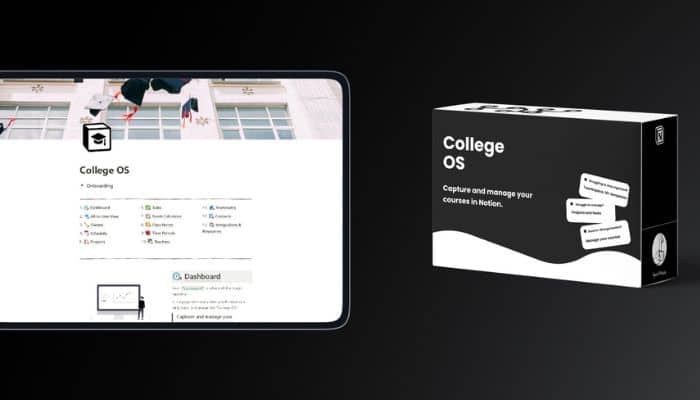
If college feels a bit chaotic, College OS might help. It’s a Notion template designed for students who want to keep up with classes, deadlines, grades, and notes.
You don’t have to be a Notion pro to use it. The layout is simple, and you just add your courses to start organizing things.
Take a look at College OS if you want to actually keep track of your work instead of scrambling every week.
What’s Inside
- All-in-one dashboard
- Class schedule tracker
- Project and task manager
- Class and Cornell notes system
- Grade calculator
- Contacts organizer
- Resource collections
- Dark mode ready
Student OS
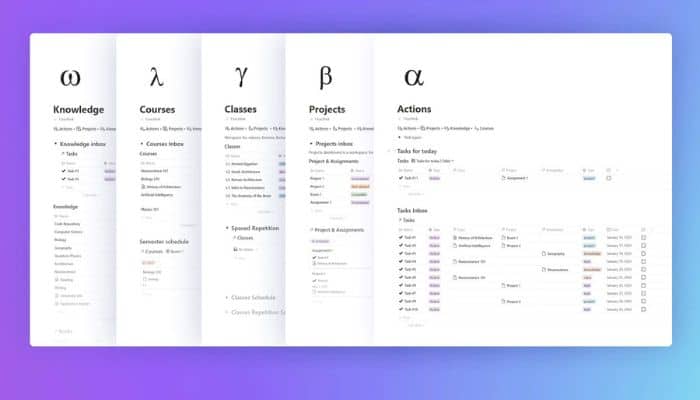
Student OS is great if you want everything about school in one place. It lets you create a digital system for managing classes, notes, projects, and tasks.
You can set up a main dashboard to see what’s coming up each day. There’s a space for your courses and a spot to store all your class info.
If you like tracking progress or setting goals, this template keeps things neat. You’ll also find updates and tips from their community.
What’s Inside
- Home dashboard for tasks
- Digital library for notes
- Course planner
- Organizes class information
- Project and assignment tracking
- Progress and goal tracking
- Free lifetime updates
- Community support
Student OS All-in-One Notion Student Template
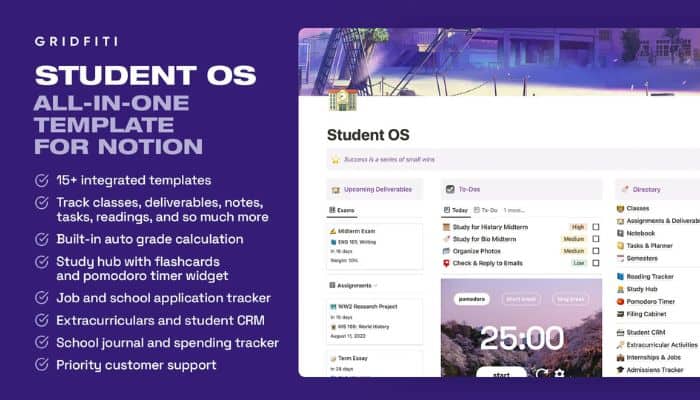
Want all your schoolwork in one spot? Student OS brings your classes, assignments, and schedule together on one dashboard.
You’ll see deadlines, daily tasks, timetables, and even your grades all in one glance. Each class gets its own page, so you can save your syllabus and notes easily.
The grade calculator updates as you add marks. Tasks, readings, clubs, and job applications all connect here.
Check out Student OS: All-in-One Notion Student Template for more info.
What’s Inside
- Central dashboard for all tasks
- Assignment and deadline tracker
- Weekly and daily planner
- Grade calculator
- Study hub with flashcards
- Digital notebook for notes
- Reading and task trackers
- Extracurricular and job tracking
Student OS Dashboard
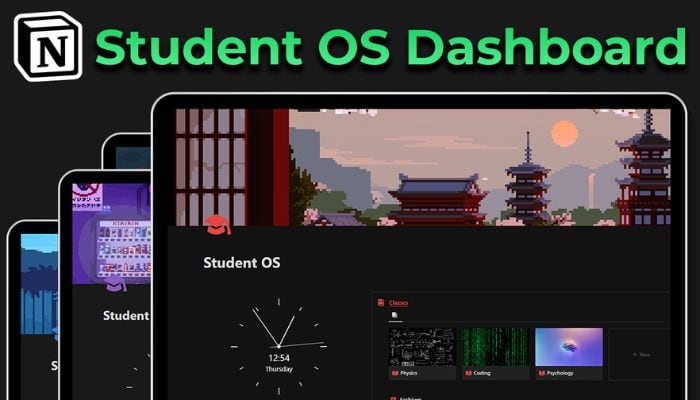
If you’re hoping to keep your whole school life together, Student OS Dashboard is a solid choice. It’s set up to help you manage classes, assignments, and even your daily habits.
You can track homework, set reminders for tests, and keep your notes tidy. There are tools for managing roommates, finances, and your reading list too.
Whether you’re new to Notion or use it every day, this template is easy to pick up. Everything lives in one central dashboard, so you save time and keep things tidy.
Student OS Dashboard makes studying less stressful and more organized.
What’s Inside
- Class and assignment tracking
- Study schedule
- Task manager
- Notes section
- Habit tracker
- Roommate and finance management
- Personal library for books
- Flashcards for spaced repetition
Studio Ghibli Ultimate Student Planner
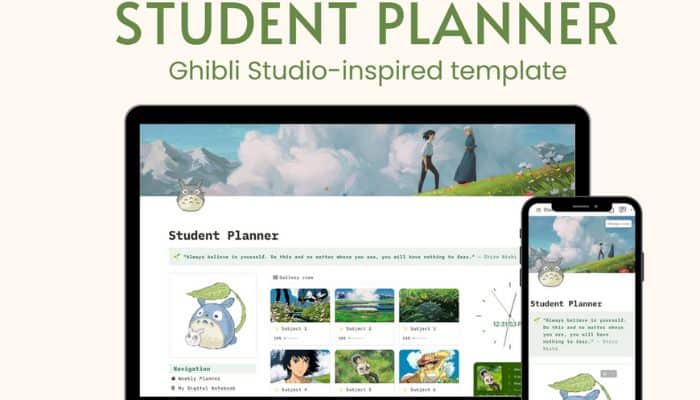
Love Studio Ghibli? This planner brings a bit of magic to your study routine. With this all-in-one student planner, you can keep track of every class and assignment easily.
The dashboard looks fantastic and is simple to use. You can manage subjects, keep a weekly to-do list, and track your habits and goals.
It’s easy to tweak, so you can really make it your own.
What’s Inside
- 9 subject pages
- Class schedule
- Weekly to-do list
- University dashboard
- Habit and goals trackers
- Income, expense, and savings trackers
- Wishlist and quote widget
- Schoolwork tracker
- Flashcards and resources
- Instructions on every page
The Academic Comeback Dashboard
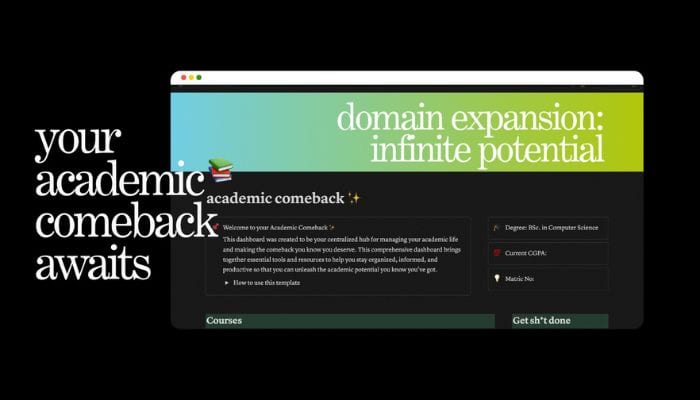
Trying to put your academic life back together? The Academic Comeback Dashboard helps you manage classes, assignments, and daily tasks in one spot.
There’s a place for your class schedule, study materials, and even a playlist for study sessions. The template works well if you need extra motivation and reminders.
You can adjust everything to fit your own routine. If you want a fresh start this semester, give this dashboard a try.
What’s Inside
- Course tracking
- Study materials section
- Daily to-do lists
- Assignment and deadline tracker
- Class schedule
- Study playlist
- Customizable layouts
- Productivity tools
Notion x Students

Notion x Students gives you a central spot for your school life. You can organize classes, assignments, and exams, so nothing gets lost.
Tracking grades and exam schedules is simple. The built-in finance tracker lets you plan your budget and watch your spending.
You can keep tabs on your week, add resources, and see your progress in one spot. If you’re feeling overwhelmed, this template helps you get ahead and hit your goals.
Check out Notion x Students to get organized fast.
What’s Inside
- Courses manager
- Lesson planner
- Exams tracker
- Finance manager
- Task and assignments library
- Weekly planner
- Smart progress reports
- Resources library
Pin for Later?
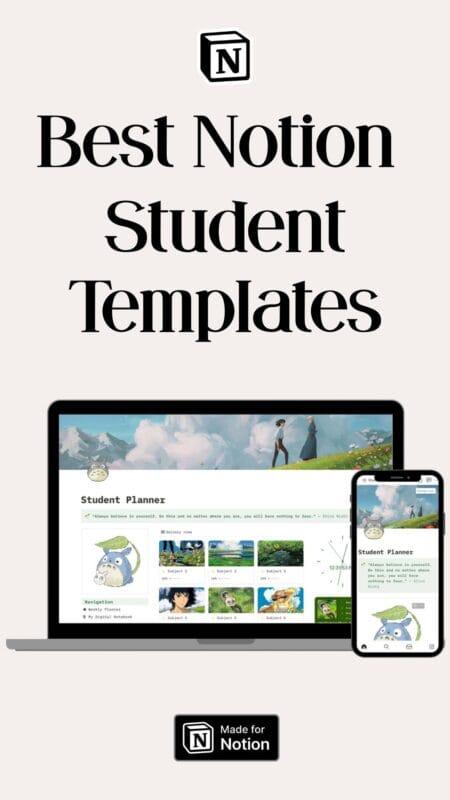
How To Choose The Right Notion Template For Your Student Life
Picking a Notion template isn’t just about grabbing the first one that looks fun. You need something that fits how you organize classes, track assignments, and handle your schedule.
You’ll have a much easier student life if your workspace is clear, easy to use, and maybe even a little bit fun to look at.
Identify Your Academic Needs
Start by listing your classes, clubs, and responsibilities. Ask yourself: Do you need to track lectures, assignments, due dates, and exam schedules?
Maybe you want to keep your notes together or have a space for reading lists. Make a table to help you see what you need:
| Need | Importance | Example |
|---|---|---|
| Assignment Tracking | High | Homework, projects |
| Schedule View | Medium | Classes, meetings |
| Note Organization | High | Lecture notes, ideas |
Templates like a student dashboard or subject trackers work well here. Pick one that gives you a quick overview, so nothing sneaks up on you.
Customization Tips For Maximum Productivity
A good template is just a starting point—you should change it to fit how you actually study. Rename pages for each course you’re taking this semester.
Color-code sections by subject or deadline urgency using Notion’s emojis and icons. Here are a few quick customization tips:
- Add custom properties: Due dates, professor contacts, priority tags
- Build database views: List assignments by class, week, or urgency
- Use templates inside templates: For recurring tasks like weekly reflections or lab reports
Don’t be afraid to delete parts you never use. The more it feels like your own setup, the less time you’ll waste searching for things.
Balancing Aesthetics With Functionality
It’s tempting to grab a template with tons of colors and widgets. But too much can distract you or slow down your dashboard.
Focus on templates that keep things clean. Pick one accent color for headings, and try layouts with plenty of space so you don’t feel crowded.
Your Notion page should make info easier to find, not more complicated. Adjust your aesthetic choices so your setup is motivating but still quick to use every day.
Maximizing The Value Of Notion Templates
Using Notion templates as a student isn’t just about making things look neat—it’s about saving time and working smarter with your classmates.
The right features can honestly change how you handle studying, planning, and group tasks. Maybe it’s time to give one of these templates a shot?
Time-Saving Features For Busy Students
When you barely have a minute between homework, classes, and activities, the right Notion templates can really make a difference. A lot of student templates come with built-in task trackers and calendar integrations that pull your assignments and due dates into one place.
Auto-sorting tasks by due date or priority means you don’t have to dig through endless notes just to figure out what’s next. Some templates toss in preset class schedules, easy links to course materials, and checklists you can reuse every semester.
Why start from scratch when you don’t have to?
Templates with reminder systems or calendar sync keep important deadlines on your radar. Even a simple notes section with tags for each subject can take one more thing off your mind.
Collaborating With Classmates In Notion
Group projects and shared notes shouldn’t be messy or confusing. Notion gives you templates for team work, like shared task boards, assignment logs, and collaborative reading lists.
It’s easy to assign tasks and keep everyone updated. You can mention teammates with @tags, chat right in the comments, and use status columns to show who’s handling what.
Table views and toggles help organize group notes. Everyone finds what they need a lot faster.
If you’re in a study group, try a shared notebook template. You can make pages for lectures, upload files, and leave feedback for each other.
This setup really cuts down on lost info and endless group chat messages. It’s not perfect, but honestly, it works pretty well for most teams.