
Best Notion Productivity Templates
Still using sticky notes, endless tabs, and to-do lists that go nowhere? That’s cute. But it’s 2025. Your productivity deserves better.
Meet the Best Notion Productivity Templates — your new secret weapon for getting things DONE.
From goal-setting dashboards to habit trackers that actually work, these templates aren’t just pretty—they’re powerful.
Imagine a workspace so well-organized it practically runs itself. No more lost ideas. No more chaotic weeks.
Just clarity, focus, and the kind of progress that makes your boss (or future self) proud.
In this article, I list my favorite Notion templates designed specifically to make your life a whole lot easier.
Notion Ultimate Life Planner
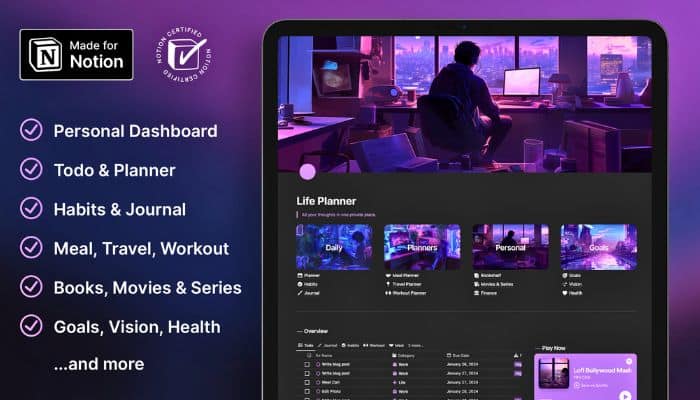
The Notion Ultimate Life Planner is your go-to tool for making life simpler. It’s packed with features like habit tracking, goal planning, and finance management.
Want to stay organized with ease? You can track your meals, workouts, and books effortlessly. If you’re planning a trip, there’s a travel planner too.
Customizable themes let you make it your own. Whether you need a daily journal or a student planner, it’s all in one place.
Find balance and boost your productivity with the Notion Ultimate Life Planner.
Headquarters Notion Second Brain Template
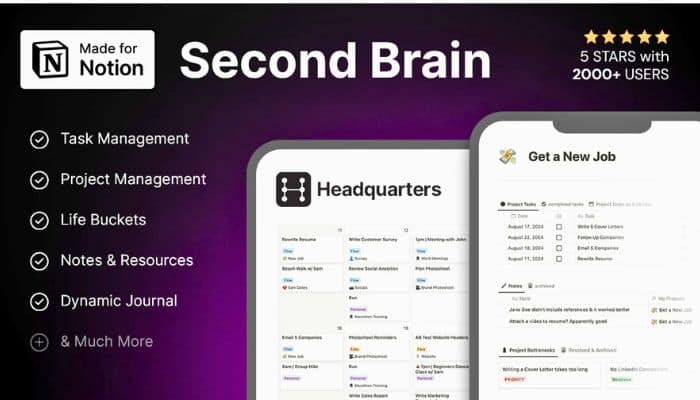
Headquarters is a big helper when you have too much on your plate. It’s a Notion Template that puts all your work and life stuff in one place.
You don’t need tons of apps anymore. Just focus on what really matters.
This template uses top methods to boost how you use your time. There’s a handy time tracker, so you’ll know exactly where each minute goes.
No more guessing! With the Task “Order” tab, you can prioritize easily and stop feeling buried by tasks.
Just step up your game and get organized like never before!
Notion Ultimate Productivity System

Want to boost your productivity? The Notion Ultimate Productivity System is the way to go. It helps you manage tasks, projects, and goals with ease. This powerful system is based on Getting Things Done (GTD) and gives you all the tools you need to stay organized.
With just one purchase, you’ll get a full productivity suite. Create projects, set goals, and track your tasks easily. Use the Eisenhower Matrix to prioritize like a pro.
You’ll see what you need to do at a glance. Plus, you can even invite others to collaborate.
The ADHD Daily Dashboard
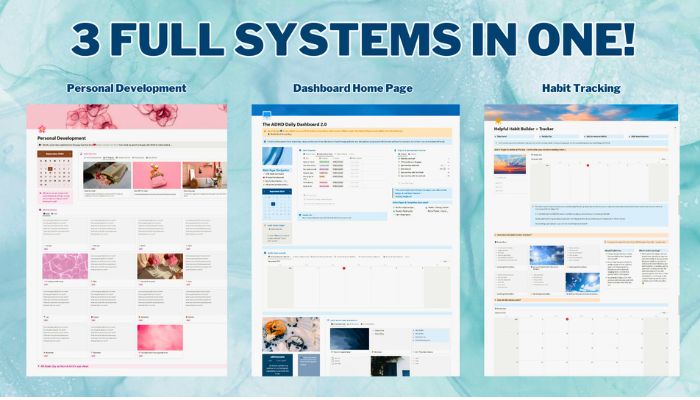
The ADHD Daily Dashboard helps you keep life organized. It gives you a quick look at your important tasks with a clear home page setup.
The Weekly Task List is made for those who might struggle with too many to-dos, allowing you to easily arrange your tasks.
Keep everything from brain dumps and notes in one spot with the Resource Library. For tracking habits, there’s a friendly habit tracker that forgives missed days.
Stay focused with monthly reviews and goal-setting on the Personal Development page. You can have fun exploring and using this tool to help in organizing your day.
12 Week Year Planner
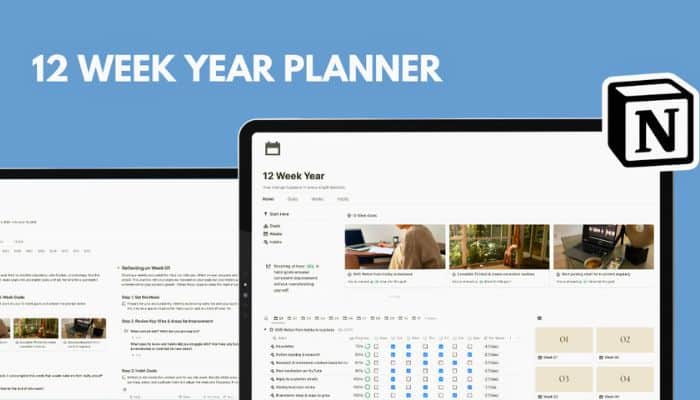
Want to tackle your goals with style and flair? The 12 Week Year Planner template in Notion can help you focus your energy. It allows you to strategize and stay committed over three months.
Imagine dividing your goals into weekly tasks. You’re able to track your habits, reflect on your actions, and monitor progress with simple tools.
Kickstart your journey with a clear vision and a priority list. You have everything to stay on track!
GTD (Getting Things Done)
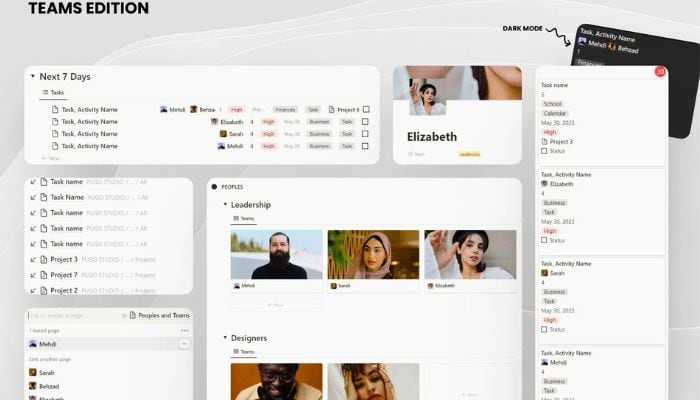
Feel like your to-do list is a monster you can’t tame? The Getting Things Done method in Notion helps you manage and prioritize tasks with ease. Capture everything in one place, so you’re not shuffling through a million notes. Prioritize what’s urgent and important, ensuring you’re not just busy, but productive.
Organize tasks efficiently, freeing your mind to focus on what counts. For both individuals and teams, this approach simplifies work and reduces stress. Try the Notion GTD Template to transform chaos into calm.
Understanding Notion Templates
Notion templates are like superpower potions for your personal and work life. They help organize your tasks and keep you focused on what matters.
By choosing the right templates, you can streamline your workflow and increase efficiency.
What Makes a Template Effective?
An effective template is built for ease and clarity. It should have a clean layout that doesn’t confuse or overwhelm you.
Look for templates with intuitive navigation, as they are easier to use.
A good template provides customizable sections so you can tweak it to fit your specific needs.
Think about a template filled with checkboxes for tasks, a budget tracker, or a calendar. If it includes these tools in a way that makes sense to you, it can be a game-changer.
Templates should also integrate with tools you already use. This means you’ll spend less time switching between different apps.
Consistency in design and functionality across your templates can also boost efficiency.
How Templates Enhance Productivity
Templates are great for reducing repetitive tasks. Think of them like your virtual assistants. They help you focus on creative tasks by storing and organizing regular tasks in one place.
With customized templates, you can instantly jump into work mode without setting up new project outlines each time.
They hold you accountable by keeping goals and tasks visible. You see what needs to be done and when. Color coding or lists make priorities clear, so you can tackle tasks with ease.
Templates offer a structured environment, reducing mental clutter. This allows you to use your energy better and avoid feeling burned out.
Tips for Maximizing Template Benefits
Notion templates can become powerful tools if you know how to tailor them to your purposes. By focusing on customization and seamless integration, you will get the most out of your templates and even make them a cornerstone of your daily routine.
Customization for Personal Needs
Templates are like the clothes of your digital life—sometimes they fit perfectly, and other times you need to tweak them a little for comfort. Start by thinking about what features you need most.
Are you managing tasks? Consider adding checkboxes or timeline views.
For personal touch, embed custom colors or text styles. Make sections for notes or ideas that pop into your head.
Lists and bullet points can help classify priorities and goals. With a bit of creativity, your Notion workspace will feel like it’s made just for you.
Integrating Templates with Workflows
A template is only as good as its place in your workflow. To make it stick, link it with tools you already use.
For example, if your daily tasks sync with Google Calendar, make sure your Notion template reflects that. Integrate apps and calendars, or even link to your email.
Think about the steps in your usual processes. Can you build them into your template?
By aligning your template with what you do daily, you’ll be more likely to use it regularly, which means you’ll really feel the boost in productivity.