
10 Best Notion Reading Templates
Reading more books always sounds amazing, but sticking to that goal? Not so easy. You might start off with plans to hit 50 books, then lose track of what you’ve finished, forget which series you’re in, or just stall out looking for the next great read.
That’s where Notion steps in as your digital reading buddy. Notion reading templates can really turn those scattered reading habits into a system that helps you read more—and actually enjoy it.
These templates let you track progress, save quotes, organize wishlists, and keep an eye on your reading goals. Whether you’re into fantasy, non-fiction, or a little of everything, there’s a template out there that matches your style.
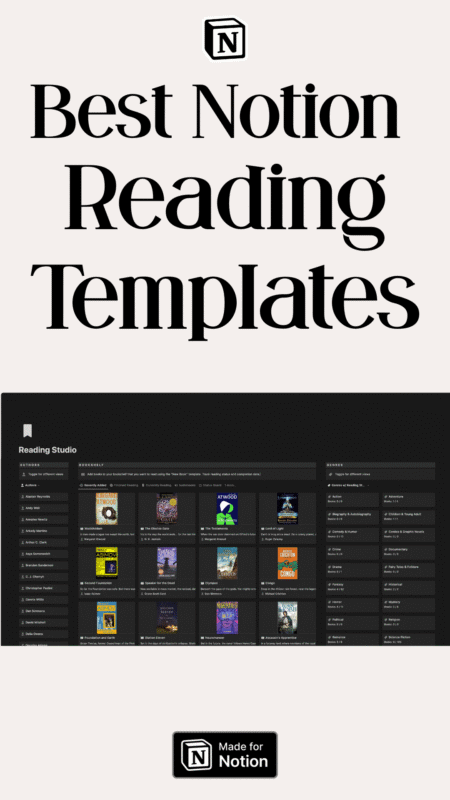
Nook Reading Studio Dark Mode
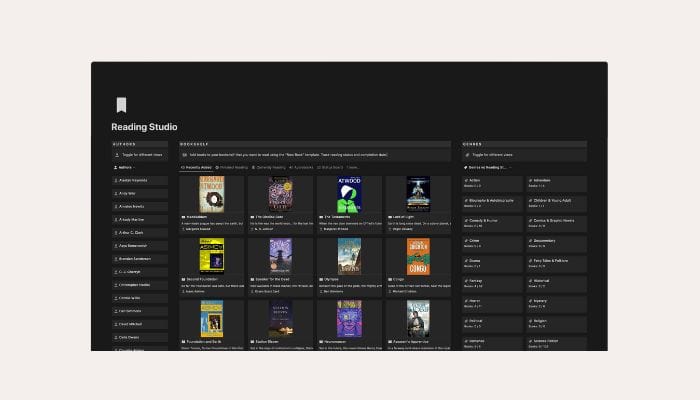
The Nook Reading Studio template works in both light and dark modes. If you like to switch themes, it’s perfect.
The dark mode looks sleek and feels easy on your eyes—especially late at night. No more eye strain when you want just one more chapter.
What’s Inside
• Personal library management system
• Light and dark mode compatibility
• Easy book addition with ISBN cover generation
• Reading status tracking (Want to Read, Currently Reading, Finished, DNF)
• Progress summaries and goal tracking
• Author and genre organization
• Favorite authors and genres starring
• Highlight and note importing
• Review and rating system
• Sharing options for family and friends
If you’re ready to organize your reading life, grab the Nook Reading Studio template and start building your digital library.
The Bookworm’s Ultimate Notion Template
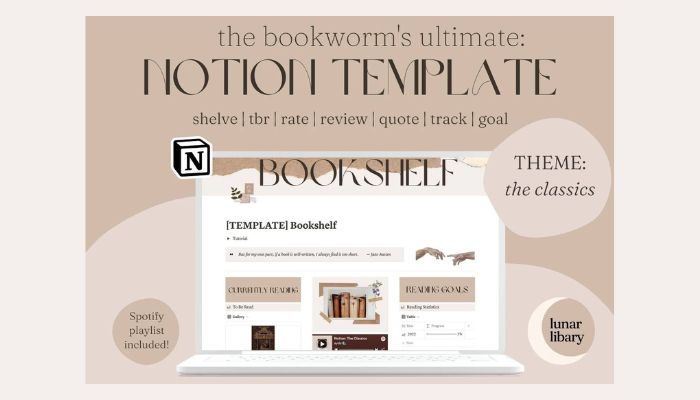
This template brings together style and function for serious book lovers. It’s especially nice for classic literature fans and gives you all the tools to track your reading journey.
The template acts like a digital bookshelf where everything connects. Add book details once, and they show up automatically across the workspace.
You can sort books by genre or reading status. Mark books as “to be read” or “finished” with simple filters.
The system keeps track of reading dates and progress. You won’t need to remember what you finished last month—it’s all there.
What’s Inside
- Digital bookshelf with connected book entries
- Note-taking and quote storage system
- Book review writing space
- Reading goal tracker and lifetime stats
- Genre and status filtering options
- Curated Spotify playlist for reading
- Complete setup tutorial
Want to get organized? The Bookworm’s Ultimate Notion Template can help you build your digital library right away.
Fantasy Book Tracker
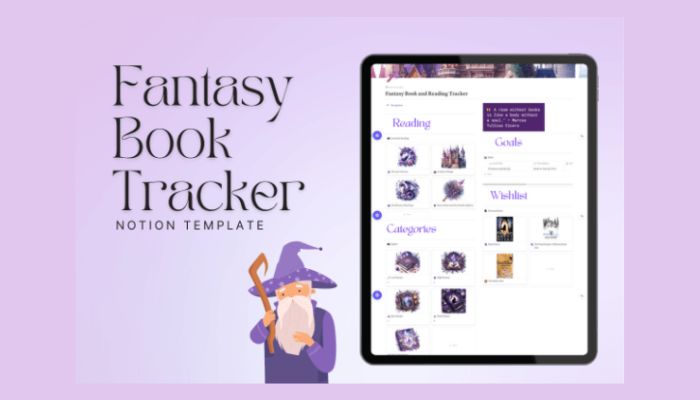
Fantasy readers need a special way to track their magical adventures. This template puts all your fantasy books in one place.
The Fantasy Book Tracker uses purple colors and watercolor icons. It really nails the fantasy vibe.
You can log every book you read and add details like author, series, and your rating. It’s simple but feels whimsical.
What’s Inside
- Reading log with fantasy-themed design
- Book categories and series tracking
- Wishlist for future reads
- Reading goal tracker
- Purple and watercolor visual elements
Want to organize your fantasy library? This template makes tracking your magical reading journey easy—and fun.
Reading Tracker Notion Template
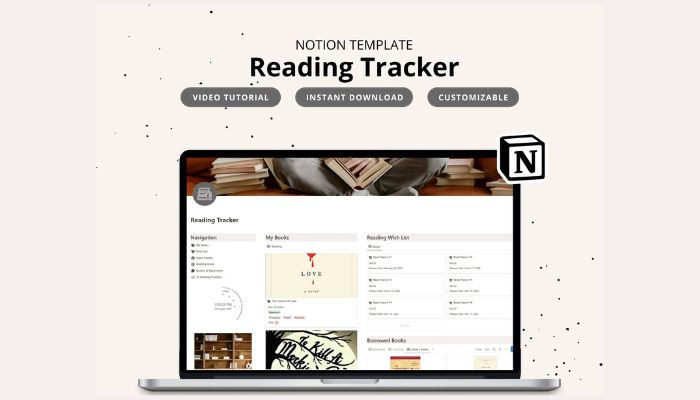
This template brings order to your reading life. You can sort your books by status and mark your favorites.
It handles borrowed books and library due dates, so no more late fees. You’ll always know what’s due back.
What’s Inside
• Book library sorted by reading status
• Borrowed and lent book tracking with due dates
• Reading wish list for future books
• Annual reading goals and progress tracking
• Book club calendar integration
• Quote and bookmark storage
• Daily reading habit tracker
• Resource links for online reading tools
• Journal prompts for each book
• 35 reading challenges to vary your library
Want to organize your reading? Try the Reading Tracker Notion Template and start tracking your books today.
Notion Reading Journal Template
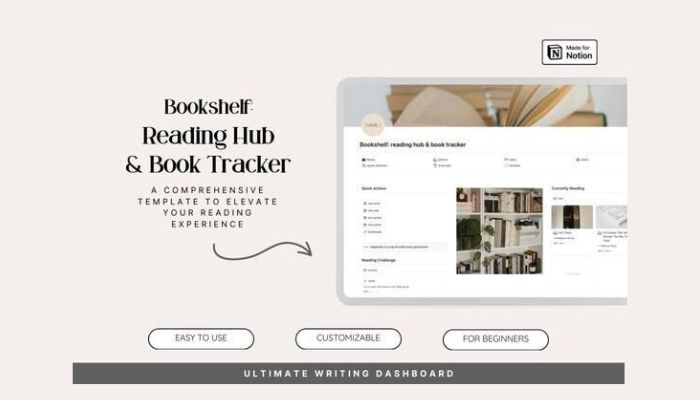
A reading journal template can turn your Notion workspace into a personal reading diary. You get to track your thoughts about books as you read, not just after you finish.
You can jot down notes about characters, plot twists, and favorite quotes. The template lets you record your feelings about each chapter—sometimes that’s the best part.
Most Notion reading journal templates have book ratings and review sections. You can even add photos of covers or memorable passages.
Some templates also have mood trackers, so you can see how books made you feel. It’s a neat touch.
What’s Inside:
• Daily reading logs with page tracking
• Note sections for quotes and thoughts
• Book rating and review systems
• Reading mood and emotion trackers
• Progress bars for current books
• Photo galleries for book covers
Want to start journaling your reading journey? This template helps you connect with every book in a new way.
Reading List Notion Template

This template keeps your reading journey simple with four main categories. You can sort books by “want to read,” “ready,” “finished,” or “currently reading.”
The design lets you track when you start and finish each book. There’s even a star rating system—one to five stars, so you can remember what you loved (or didn’t).
It works well for people who read a lot through the year. You can see your reading progress at a glance, which is kind of motivating.
What’s Inside:
• Four book categories for different reading stages
• Date tracking for start and finish times
• Five-star rating system for completed books
• Simple list format that’s easy to update
• Clear organization for your whole collection
Want to organize your reading? Try the Reading List 📖 template and start tracking your books today.
Notion Book Tracker Template

With this book tracker template, you can log books you’ve read, track progress, and set goals.
It’s great for people who read a ton. You can rate books, jot down quick reviews, and save your favorite quotes—no more searching for that one line you loved.
The best part? You can customize it. Add new fields or change the layout to match how you read.
Most templates let you sort by genre, author, or rating. Finding that book you read last month suddenly gets easy.
You can also track reading streaks and see how many pages you read each month. Honestly, it’s a real motivator.
What’s Inside:
• Reading progress tracker
• Book rating system
• Notes and quotes section
• Genre and author organization
• Reading goals dashboard
• Customizable book database
Want to get organized? Check out this Notion book tracker template and see how your reading stacks up.
Smart Reading List Notion Template
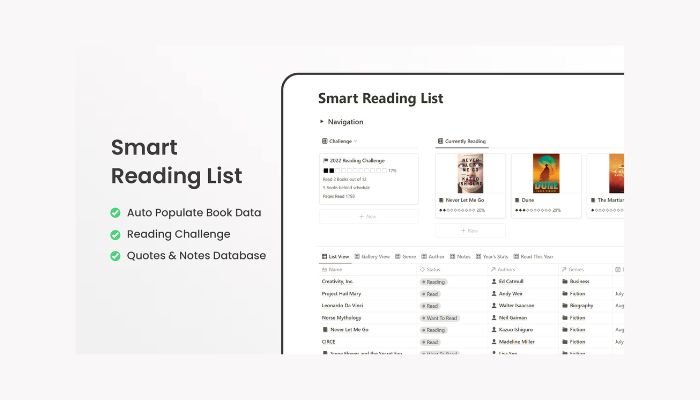
The Smart Reading List template takes the hassle out of tracking books. You don’t have to type in every detail anymore.
This template fills in book information for you—author, genre, cover image, even page count. Just add the title and let it do its thing.
The reading challenge widget lets you set yearly goals and track your progress visually. It’s kind of fun to watch the numbers go up.
What’s Inside
• Automatic book data filling (author, genre, cover, pages, publication year)
• Reading challenge widget with goal tracking
• Notes and highlights database for saving quotes
• Separate databases for authors and genres
• Annual reading statistics
• Works with free Notion accounts
Ready to make your reading workflow easier? Try the Smart Reading List Notion Template and start tracking books the smart way.
Personal Reading Roadmap
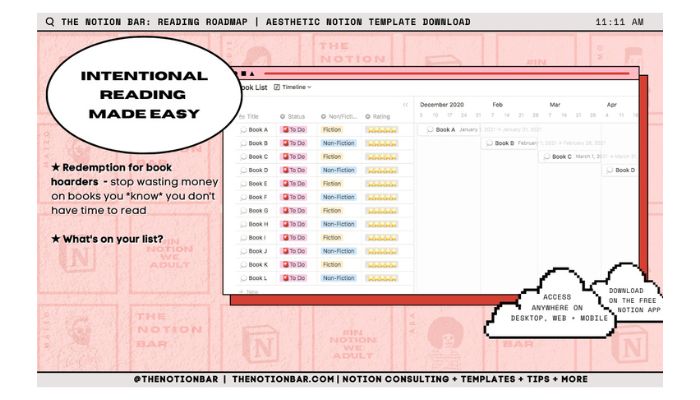
The Personal Reading Roadmap template helps you take control of your reading journey in a smarter way. It’s all about making better choices about what to read and when.
You can see your reading plans in a timeline view, which makes planning what’s next a breeze. No more guessing what to pick up after you finish a book.
The template helps you avoid buying books you won’t have time for. You’ll focus on books that actually fit your schedule and goals.
There’s a notebook view for studying and reviewing your notes. It’s helpful for remembering what you learned or just keeping track of highlights.
The design? Clean and organized. Tracking your reading feels more enjoyable and less like a chore.
What’s Inside:
- Timeline view for planning your reading schedule
- Tools to help you choose books more carefully
- Notebook view for organizing and reviewing notes
- Clean, aesthetic design that’s easy to use
- Goal-setting features to track your progress
Want to get organized? Try the Personal Reading Roadmap template and start building better reading habits today.
Notion Book Tracker

A book tracker in Notion keeps you organized with your reading goals. You can log what you’ve read and plan what’s next.
This template makes it easy to remember important details about each book. You can track your reading progress with visual bars that actually look satisfying.
The built-in authors database puts all your favorite writers in one spot. You won’t lose track of who wrote what.
Book summary templates help you remember key points from both fiction and non-fiction. That makes recalling what you learned way easier.
You can sort books by genre, format, and rating. The status feature shows if you’re currently reading, finished, or want to read a book.
The Book Tracker template includes everything you need to start tracking right away. It works for both casual readers and serious book lovers.
What’s Inside:
- Progress bars for reading tracking
- Authors database for easy reference
- Book summary templates for fiction and non-fiction
- Genre, format, and rating organization
- Status tracking system
- Book series management
Want to organize your reading life? Get the Book Tracker template and start building your digital library today.